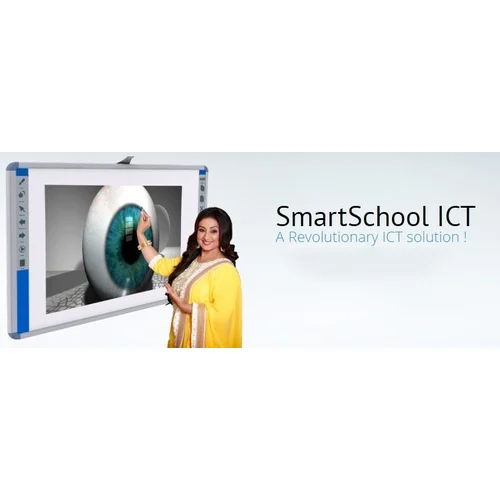
Smart Class ICT Software is a cutting-edge solution designed to enhance the learning experience by incorporating technology into the classroom. It provides interactive tools such as audio-visual aids, digital textbooks, virtual reality simulations, and gamification to engage and inspire students. The software allows teachers to create personalized lessons, track student progress, and provide instant feedback. It also provides a collaborative platform for students to work together, improving their problem-solving and critical-thinking skills. Smart Class ICT Software is an invaluable tool for educators seeking to create a dynamic and engaging learning environment. It equips students with the skills they need to thrive in the digital age and provides teachers with the tools they need to deliver quality education.
Approved by | CBSE board |
| Service Duration | 1-2 days |
| Service Location | Pan India |
| Service Mode | Onsite |
| Service Type | Smart Class ICT Software |
| Validity | One Year From Time Of Activation |
| Software Version | 10.1 |
Flexible Installation & CompatibilityThe software offers multiple installation options-CD/DVD, USB, and cloud-ensuring adaptability to different IT infrastructures. With support for Windows, Mac OS, and Linux systems, educational institutions can deploy the software across existing devices with minimal setup, facilitating smart classroom implementation with ease.
Rich Multimedia & Interactive LearningEnhance classroom engagement with integrated audio, video, animation, and interactive content. Teachers can utilize virtual whiteboards, quizzes, and poll tools for dynamic instruction, while students benefit from personalized learning through interactive assignments, live assessments, and tailored user experiences.
Robust Security and Reliable SupportBuilt-in data encryption, user authentication, and automatic backup (cloud/device) safeguard critical information. The software is equipped with both online and offline support-including remote assistance-to ensure educators and students can access help when needed, keeping the learning process smooth and uninterrupted.
FAQ's of Smart Class ICT Software:
Q: How can Smart Class ICT Software be installed across multiple classrooms?
A: Smart Class ICT Software can be installed via CD/DVD, USB drives, or accessed directly from the cloud, making it easy to deploy on different computers within a school. This flexibility ensures a streamlined setup in computer labs, smart classrooms, or multi-device learning spaces.
Q: What multimedia formats does the software support for interactive learning?
A: The software supports a wide range of multimedia formats, including audio, video, animations, and interactive content. This allows educators to deliver engaging audio-visual lectures, assignments, quizzes, and real-time assessments tailored to diverse learning styles.
Q: When and how are software updates provided?
A: Regular software updates are automatically delivered to keep the system secure and up-to-date. Updates improve performance, add new features, and enhance reliability, and can be received via internet or network connection depending on the institution's setup.
Q: Where is data stored and how secure is it?
A: User data is securely stored either in the cloud or on local devices, with encryption and user authentication ensuring privacy and protection. Automatic backup processes further safeguard against data loss, maintaining the integrity of important classroom content.
Q: What is the process for customizing content and the user interface?
A: Teachers and administrators can easily personalize both the content and interface to match curriculum needs or user preferences. This process is user-friendly and can be performed within the intuitive GUI, allowing quick adjustments for different classroom scenarios.
Q: How is the software used in smart classrooms and digital learning settings?
A: In smart classrooms or computer labs, the software enables interactive digital lessons with features like live assessments, polls, virtual whiteboards, and quizzes. Teachers manage classes through admin roles, monitor student progress, and create engaging assignments, boosting participation and learning outcomes.
Q: What are the main benefits for educational institutions using this software?
A: Institutions benefit from streamlined classroom management, enhanced student engagement, secure data handling, and tailored digital learning experiences. Multi-language support and compatibility with various operating systems make it accessible and inclusive, ideal for classrooms of 30-50 students.

 GST No.09AVAPM0067A1Z3


 Our Products